 LaneoBook a call →LaneoBook a call →
Multi-partner CPA firm · one full tax season
A document-intake system for a multi-partner CPA firm: client emails swept every 15 minutes, attachments extracted and filed into the right client folders, every intake logged, the firm notified. One full tax season live, with real measured results below.
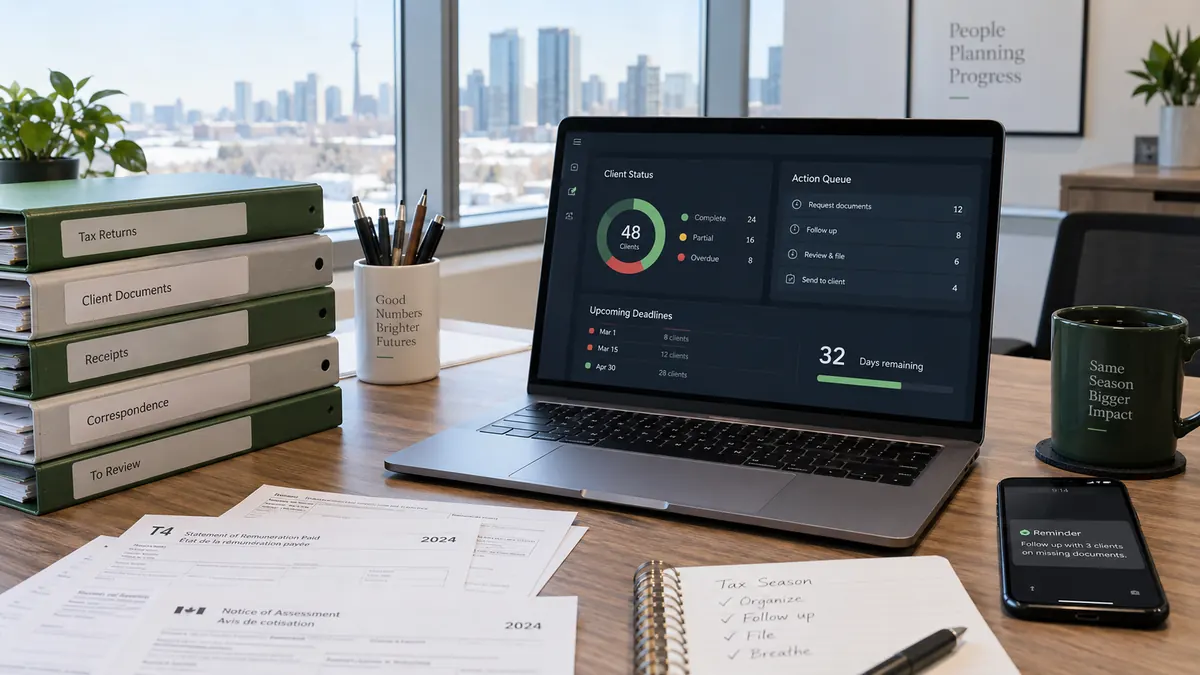
OPERATING RESULTS
Click or tap a card to bring it forward
Each document moves through Gmail, Drive, and the operational tracker with a visible record of what happened — what arrived, when, and where it went.
| Industry | CPA firms — tax-season document intake |
| Stack | Gmail · Google Drive · Google Sheets · automation — installed around the firm’s existing accounts |
| Operating need | Every client document captured, filed into the right folder, and tracked — without manual inbox triage |
| Build walkthrough | Watch the system in action |
Every tax season, client documents arrive as email attachments — PDFs, phone photos, ZIP archives — spread across weeks and multiple emails per client. Somebody has to download each one, rename it sensibly, sort it into the right Drive folder, update a tracker, and chase whatever never arrived. That somebody is usually whoever has a free minute, which means it happens late, inconsistently, or not at all.
Client documents move from the dedicated inbox into the correct folder, with a traceable intake record.
Illustration of the configured process. No live actions.A document that fails verification is kept out of the upload and flagged for the firm. Filing a corrupt file does not count as successful intake.
Client identity and naming rules determine the folder. A filing workflow does not prepare the tax return.
Deterministic Document Intake replaces manual triage with a scheduled sweep: a dedicated intake inbox clients send to, an automated workflow that extracts and files everything on a 15-minute cadence, Google Drive as the document store, and Google Sheets as the audit log. Deterministic means the folder a document lands in is computed from rules, not chosen by whoever is filing that day.
The folder a document lands in is computed from client identity and filing rules — the same input always produces the same folder. No judgement calls at filing time, no “I’ll sort it later” pile.
This is the production automation canvas — the real automation, not a diagram drawn for the website:
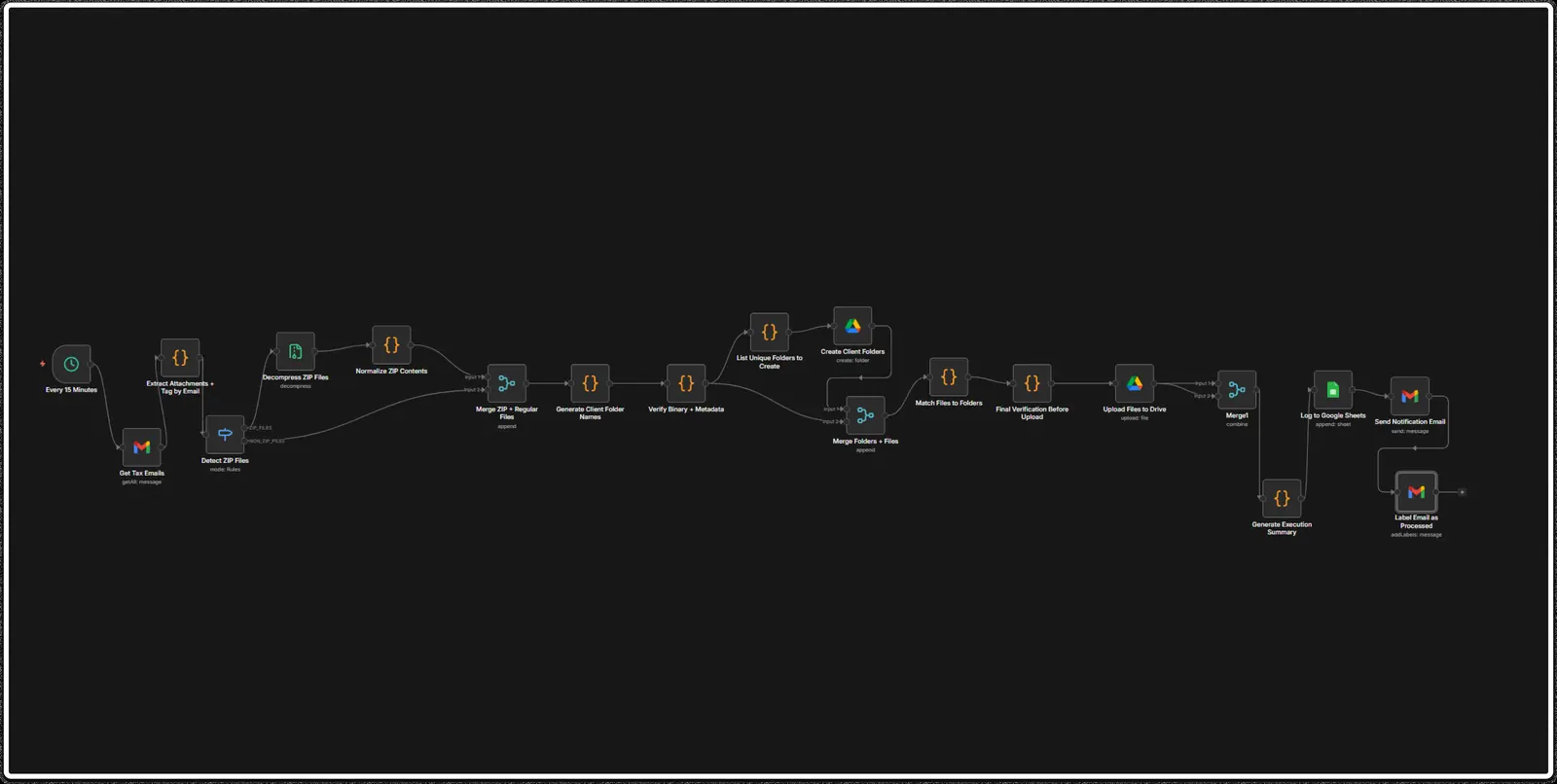
Hover to preview · Click or tap to bring a workflow forward
What the firm sees — the notification email per intake, and the client’s folder with documents filed:
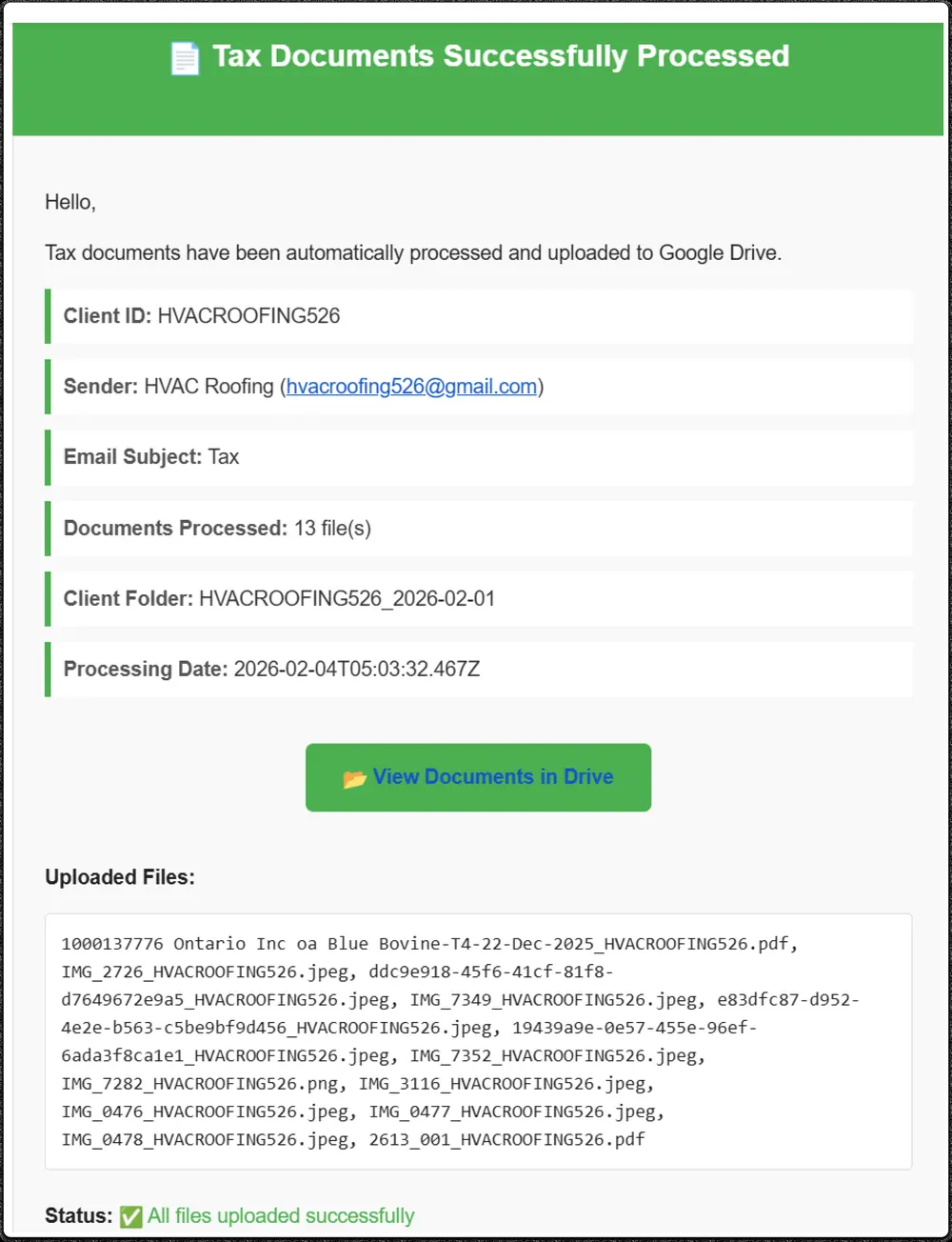
Above: the intake notification — client ID, files processed, the client folder name, processing timestamp, and the full uploaded-file list. One email per intake, no digging through threads.
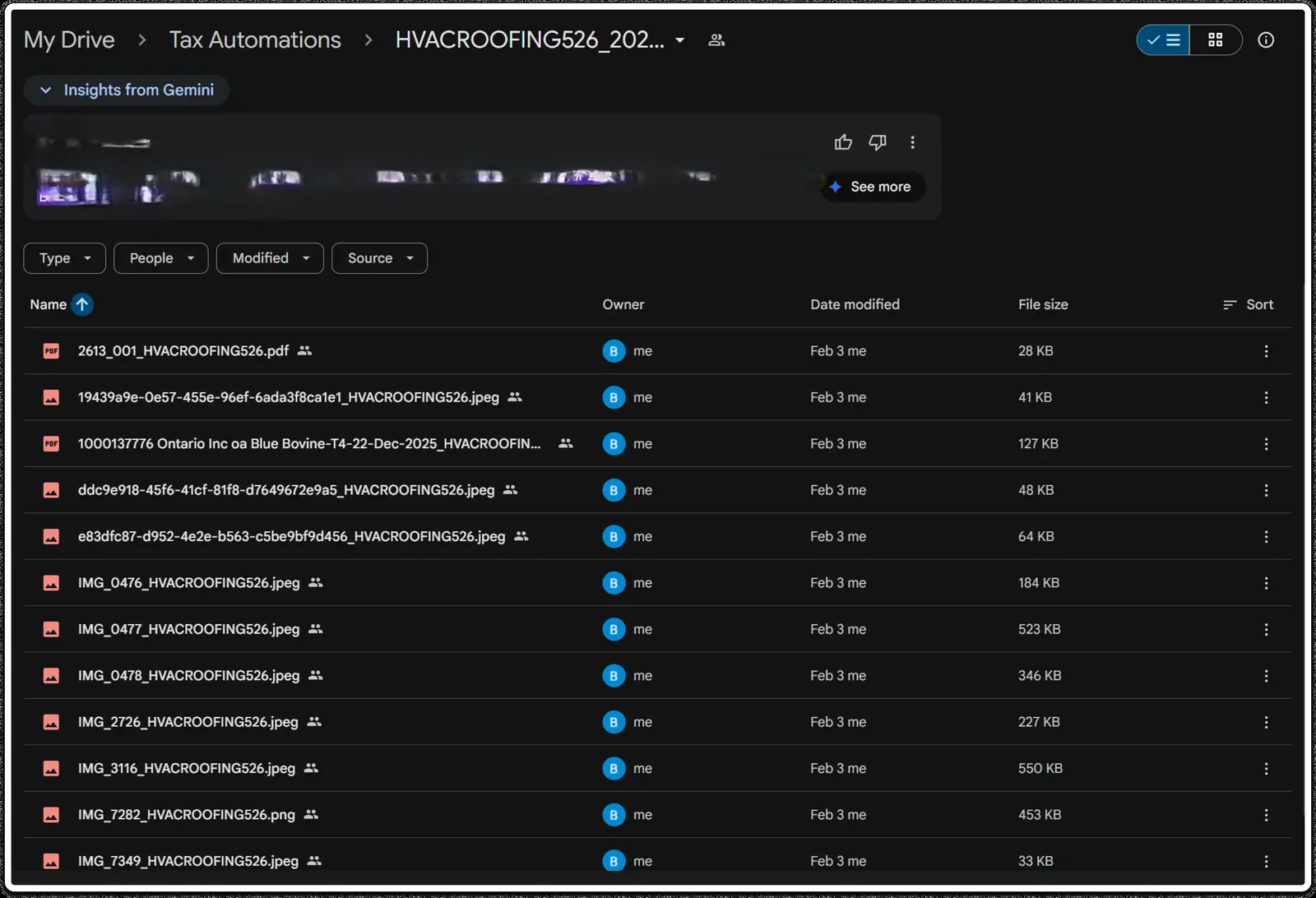
Above: the client’s Drive folder — every file renamed deterministically (document-type_client-id), filed in one place, ready for preparation work.
Document types, client list, folder conventions, and the firm’s current triage pain — measured before anything is installed.
Dedicated intake inbox created, the right folder rules set, Sheets tracker structured, notification template approved. The firm’s existing Drive stays untouched.
Test intake runs against the test account — ZIPs, multi-attachment emails, odd filenames — reviewed by the firm before activation.
Honest baselines captured, then Day-30/60/90 evidence snapshots through the season. Verified, unknown, or not available — missing data never becomes zero.
A file that fails verification is quarantined from the upload — flagged in the log and the notification — rather than filed hopefully. The firm sees exactly which document needs attention instead of discovering it at preparation time.
Installed around the firm’s existing Google accounts — not hidden inside a Laneo black box. The firm owns its inbox, Drive, Sheets, automation instance, and all business data.
 CLIENT-OWNED TOOL
the intake transport: a dedicated inbox clients send documents to
 CLIENT-OWNED TOOL
the document store: deterministic per-client folders
 CLIENT-OWNED TOOL
the audit log: every intake event with its source
 CLIENT-OWNED TOOL
the workflow engine: the 15-minute sweep and all filing logic
When every document is captured, filed, and logged with its source, the firm stops running tax season on memory. Preparers start with complete folders, partners see intake status without asking, and missing-document follow-up becomes a list instead of a worry. This is what becomes possible once every document is captured, filed, and visible.
These operating results describe this installation, not a guarantee for another business.Book a free 20-minute Process Review. We’ll map how your intake works today, find the biggest gap, and tell you honestly whether there’s anything worth installing.
Book a free Process Review →The review is free. Any third-party software or usage costs remain separate.